PHP 7.2 End of Life: Vulnerabilities and Migration Guide
PHP has powered millions of websites and business applications over the years. However, as the language evolves, older versions eventually stop receiving security updates and maintenance.
PHP 7.2 is one of these legacy versions. Although many applications built with PHP 7.2 may still function, continuing to use unsupported software can create security, compatibility, and maintenance challenges.
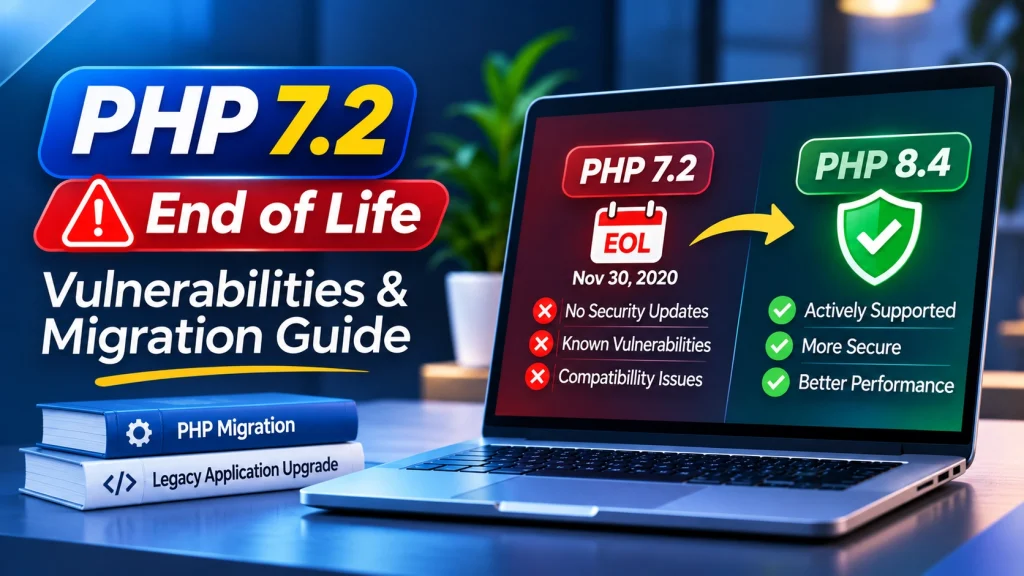
PHP 7.2 reached End of Life on November 30, 2020, and its final release was PHP 7.2.34. Since then, the official PHP project has stopped providing security fixes for this version.
For businesses running legacy websites, this creates an important question: how can you upgrade PHP without breaking existing application functionality?
The good news is that you do not necessarily need to rebuild your application from scratch. With a proper compatibility audit, dependency updates, and staged migration, you can move to a supported PHP version while preserving important business features.
In this guide, we explain PHP 7.2 End of Life, the security risks of using outdated PHP software, and how to migrate legacy applications safely.
What Does PHP 7.2 End of Life Mean?
End of Life (EOL) means a software version has reached the end of its official support lifecycle.
PHP follows a defined release cycle. Each version receives active support followed by a period of security-only support. Once both periods end, the version is no longer maintained by the official PHP project.
PHP 7.2 reached End of Life on November 30, 2020. Its final release was PHP 7.2.34.
This means:
No further official PHP 7.2 security fixes.
No regular bug fixes from the PHP project.
No new compatibility improvements.
Increasing difficulty maintaining modern dependencies.
Greater responsibility for managing legacy infrastructure.
An unsupported PHP version does not automatically mean your website has been compromised. However, newly discovered security issues may remain unpatched in that version.
1. Understand the Security Risks of PHP 7.2
Running an outdated PHP version can expose a business application to security and operational risks, especially when it also uses outdated frameworks and third-party libraries.
Here are some common concerns.
Unpatched Security Vulnerabilities
When a PHP version reaches End of Life, the official PHP project stops releasing security updates for it.
If a new vulnerability affects an unsupported version, an official fix may not be available.
This can leave applications exposed unless another provider supplies a security patch or backport.
Outdated Third-Party Dependencies
Legacy PHP applications often depend on older Composer packages, libraries, and frameworks.
These dependencies may contain known vulnerabilities or may no longer receive maintenance.
A vulnerable package can create security problems even when the application itself appears to be working correctly.
Compatibility Problems
Modern PHP libraries and development tools increasingly require newer PHP versions.
Applications running PHP 7.2 may encounter dependency conflicts when developers attempt to install updated packages or introduce new integrations.
Increased Maintenance Costs
Older applications often require additional development effort to maintain.
Developers may need to work around outdated functions, unsupported packages, and compatibility limitations before implementing new features.
Over time, these challenges can increase maintenance costs and make future upgrades more complicated.
2. Check Whether Your Website Is Running PHP 7.2
Before planning a migration, identify the PHP version currently used by your website or application.
You can check the command-line PHP version using:
php -vYou should also check the PHP version configured for your web server because the command-line environment and website environment may use different PHP versions.
Review the following:
PHP version configured in your hosting account.
Apache or PHP-FPM configuration.
Installed PHP extensions.
Framework and application requirements.
Composer dependencies.
Database driver compatibility.
If you use cPanel, check the PHP version through its MultiPHP Manager or equivalent hosting configuration.
Identifying the actual production environment helps prevent mistakes during migration.
3. Audit Your Legacy PHP Application
One of the most important steps before upgrading PHP is understanding how your existing application works.
Simply changing the PHP version may cause errors if your code, framework, or dependencies are not compatible with the target release.
Start with a technical audit.
Review Composer Dependencies
If your application uses Composer, list the installed packages:
composer showCheck for outdated dependencies:
composer outdatedThen run a security audit:
composer auditThis checks installed Composer packages against known security advisories.
Review the results and identify packages that require security updates, replacement, or additional investigation.
Check Framework Compatibility
Determine whether your application uses Laravel, Symfony, CodeIgniter, or another PHP framework.
Check the framework’s supported PHP versions and upgrade requirements.
An older framework may need to be upgraded before the application can run properly on a modern PHP release.
Review Custom PHP Code
Inspect the application for:
Deprecated functions.
Removed language features.
Incompatible syntax.
Outdated database queries.
Legacy authentication logic.
Unsupported third-party libraries.
Tools such as PHPStan and PHP_CodeSniffer with PHPCompatibility can help identify potential compatibility problems.
A proper audit helps establish a migration plan before any production changes are made.
4. Choose a Supported PHP Version
After identifying compatibility requirements, select an appropriate PHP version for your application.
As of November 2026, PHP 8.2, 8.3, 8.4, and 8.5 remain within the official support lifecycle.
However, PHP 8.2 reaches End of Life on December 31, 2026. For a new long-term migration, PHP 8.4 or PHP 8.5 may be more suitable when your framework, hosting provider, and dependencies support them.
Before selecting a target version, consider:
Framework compatibility.
Composer package requirements.
Hosting environment support.
Required PHP extensions.
Database compatibility.
Third-party integrations.
Application testing results.
Avoid selecting a PHP version based only on its release date. The entire application must be compatible with the chosen environment.
5. How to Migrate PHP 7.2 to a Modern Version
Upgrading from PHP 7.2 to a modern version can involve several compatibility changes.
A controlled migration process helps reduce unexpected errors and production downtime.
Step 1: Create a Complete Backup
Before making changes, create a backup of:
Application source code.
Database records.
Uploaded files and assets.
Configuration files.
Composer files and lockfiles.
Server and deployment settings.
Store backups separately and verify that they can be restored.
Step 2: Set Up a Staging Environment
Create a staging environment that closely matches your production setup.
Use it to test the application with the target PHP version without affecting live visitors.
Step 3: Update Frameworks and Dependencies
Review the installed Composer packages and identify outdated or incompatible dependencies.
Update packages carefully, following their compatibility requirements.
For example, Composer can check whether installed dependencies meet the requirements of the current PHP environment:
composer check-platform-reqsResolve dependency conflicts before moving to production.
Step 4: Fix Incompatible PHP Code
Review the application’s custom code and update functions or syntax that are no longer compatible.
Pay particular attention to:
Database operations.
Authentication and sessions.
Form submissions.
File uploads.
API integrations.
Payment processing.
Custom plugins and libraries.
Preserve the original application logic while correcting compatibility issues.
Step 5: Test Important Application Features
Testing is essential before deploying an upgraded PHP environment.
Check:
User registration and login.
Admin dashboards.
Database operations.
Contact and submission forms.
File uploads and downloads.
Payment and API integrations.
Search and filtering functionality.
Review application logs and resolve errors before deployment.
Step 6: Deploy and Monitor
After successful testing, schedule the production migration.
Keep a rollback plan available, monitor application performance, and review error logs after deployment.
A staged approach makes it easier to identify problems and reduces the risk of disrupting business operations.
6. Improve Application Security After Migration
Upgrading PHP is an important security improvement, but it does not automatically eliminate application vulnerabilities.
Legacy code may still contain weaknesses that require separate attention.
Protect Database Queries
Use prepared statements and parameterized queries to reduce SQL injection risks.
Prevent Cross-Site Scripting
Escape output appropriately and validate user-generated content before displaying it.
Strengthen Authentication
Use secure password hashing, proper session management, and server-side access controls.
Protect Application Secrets
Keep database credentials, API keys, and private configuration outside publicly accessible directories.
Enable HTTPS
Use valid SSL/TLS certificates and redirect visitors to secure connections.
Review File Permissions
Ensure files and directories have appropriate permissions and prevent unnecessary public access.
Maintain Dependencies
Continue monitoring Composer packages and apply relevant security updates.
These practices help create a stronger security foundation for your upgraded application.
7. Why Businesses Should Not Delay PHP 7.2 Migration
An older PHP application may continue working even when its underlying software is no longer supported.
However, functionality and security support are two different things.
Delaying migration can create several business challenges:
Greater exposure to unpatched security issues.
Increasing dependency compatibility problems.
Limited access to modern development tools.
More complicated future upgrades.
Higher maintenance and troubleshooting costs.
Potential hosting and infrastructure limitations.
Planning an upgrade early gives businesses more control over the process and helps avoid emergency migration work.
8. When Should You Get Professional PHP Migration Support?
Some legacy PHP applications can be upgraded with relatively minor changes. Others contain years of custom development, outdated frameworks, and third-party integrations that require more detailed technical work.
Consider professional support when:
Your application is still running PHP 7.2.
Composer reports incompatible or vulnerable packages.
Your framework does not support modern PHP releases.
Your website displays errors after a PHP version change.
You need to preserve existing business functionality.
Your application requires a complete security and compatibility audit.
You want to migrate with minimal production disruption.
An experienced PHP developer can review the existing application, identify compatibility issues, prepare an upgrade plan, and test the new environment before deployment.
How Dev Mechanix Helps Modernize Legacy PHP Applications
Legacy applications often contain important business functionality that cannot simply be replaced overnight.
At Dev Mechanix, we help businesses maintain, secure, and modernize PHP applications through structured development and technical support.
Our support includes:
Legacy PHP application audits.
PHP version migration and compatibility checks.
Composer dependency updates.
Laravel and other PHP framework upgrades.
Security vulnerability reviews.
Database and application optimization.
Ongoing website maintenance and support.
Whether your application is running PHP 7.2 or another outdated version, a carefully planned upgrade can help improve security, maintainability, and long-term reliability.
Frequently Asked Questions
1. When did PHP 7.2 reach End of Life?
PHP 7.2 reached End of Life on November 30, 2020. Its final official release was PHP 7.2.34.
2. Is PHP 7.2 still safe to use?
PHP 7.2 is no longer supported by the official PHP project. Although an application may continue working, it no longer receives official security fixes, which can increase long-term security risks.
3. What are the risks of using PHP 7.2?
The main concerns include unpatched security vulnerabilities, outdated dependencies, framework compatibility problems, and increased maintenance requirements.
4. Can I upgrade directly from PHP 7.2 to PHP 8.4?
Some applications may support a direct migration, but others require framework upgrades, dependency changes, and code modifications. A compatibility audit and staged testing process are recommended.
5. Will upgrading PHP break my existing website?
It can introduce compatibility issues if the application uses outdated functions, libraries, or framework features. Testing in a staging environment helps identify problems before production deployment.
6. How do I check my website’s PHP version?
Run php -v in your terminal to check the command-line version. Also verify the PHP version configured for your web server or hosting control panel.
7. Is updating PHP enough to secure a legacy application?
No. PHP updates address the runtime, but application code, Composer dependencies, authentication, database queries, server configuration, and access permissions also need security reviews.
Final Thoughts
PHP 7.2 has been unsupported since November 30, 2020. Continuing to run applications on this version can create security, compatibility, and maintenance challenges.
The best approach is to audit your existing application, review its dependencies, choose a supported PHP version, and complete the migration through careful testing.
You do not necessarily need to rebuild your entire application. With the right migration strategy, you can preserve valuable functionality while moving towards a more secure and maintainable development environment.
If your business still relies on an older PHP application, now is a good time to plan its upgrade before compatibility or security problems become more difficult to manage.