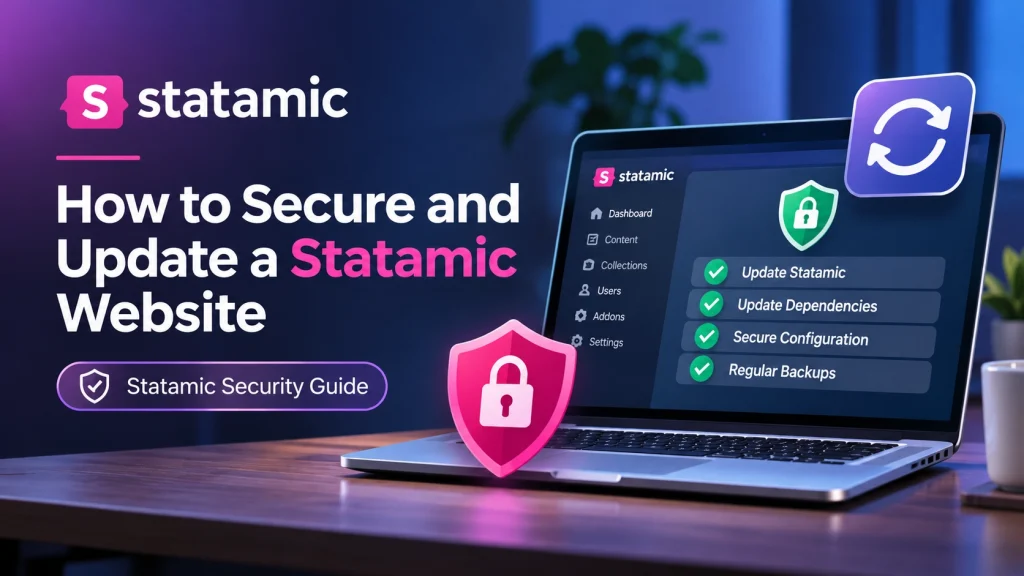
Statamic is a flexible content management system built on Laravel, allowing businesses to manage website content while benefiting from a modern development framework. Like any CMS, however, a Statamic website requires regular maintenance to remain secure, stable and reliable.
Outdated software, vulnerable dependencies, weak passwords and incorrect server configurations can expose a website to security risks. Even a well-developed website can become vulnerable if its CMS, addons or underlying technologies are not maintained.
Keeping a Statamic website secure involves more than installing occasional updates. It requires a consistent approach to software maintenance, access control, backups, server security and website monitoring.
In this guide, we explain how to secure and update a Statamic website, identify common security risks and follow practical maintenance steps to protect your website.
1. Keep Statamic and Its Dependencies Updated
One of the most important steps in securing a Statamic website is keeping its core software and dependencies up to date.
Statamic regularly releases updates that can include security patches, bug fixes, compatibility improvements and new features. Running an outdated version may leave your website exposed to vulnerabilities that have already been addressed in newer releases.
Statamic uses Composer, PHP’s dependency manager, to manage its core software and packages.
If your project was installed using Composer, you can update the Statamic CMS package with:
composer update statamic/cms --with-dependenciesYou can also update all project dependencies when appropriate:
composer updateBefore updating, check the compatibility requirements of your Statamic version, Laravel version, PHP version and installed addons.
It is also important to perform updates in a local or staging environment before deploying them to the live website. This helps identify compatibility problems without affecting visitors.
Recommended practices:
Check for Statamic updates regularly.
Review official security advisories.
Update compatible addons and Composer dependencies.
Test updates before deploying them to production.
Keep track of changes made to the project.
Regular updates help reduce the risk of known security vulnerabilities and keep your website compatible with supported software.
2. Use Strong Passwords and Secure User Accounts
Unauthorised access is a common security concern for websites. If an attacker gains access to a Statamic administrator account, they may be able to modify content, change website settings or access sensitive information.
Strong account security helps reduce this risk.
Start by creating unique passwords for all administrator and editor accounts. Avoid simple passwords, reused credentials or information that can easily be guessed.
You should also review user permissions to ensure that each account has access only to the features required for its responsibilities.
For example, a content editor may only need permission to create and update website content, while full administrative access should be limited to trusted individuals.
Additional account security measures include:
Enable two-factor authentication where supported and configured.
Remove accounts belonging to former employees or developers.
Review administrator accounts regularly.
Avoid sharing login credentials between team members.
Use a password manager to manage strong passwords.
These steps make it more difficult for unauthorised users to access your Statamic website.
3. Secure Your Laravel and PHP Environment
Statamic is built on Laravel, which means its security also depends on the underlying PHP environment and Laravel application.
Even when Statamic itself is updated, outdated PHP versions or vulnerable Laravel dependencies can create additional security risks.
Start by checking the PHP version running on your hosting server. Make sure it meets the requirements of your installed Statamic and Laravel versions and is still receiving security support.
You can check your PHP version using:
php -vNext, review the dependencies installed through Composer.
Run:
composer auditThis command checks Composer dependencies against known security advisories and can help identify packages that need attention.
You should also make sure your Laravel production environment is configured correctly.
For a production website, the environment should use:
APP_ENV=production
APP_DEBUG=false
Keeping debug mode disabled prevents detailed application errors and sensitive technical information from being displayed to website visitors.
Important: Never expose your .env file, application credentials or private configuration files through a publicly accessible directory.
Maintaining a secure PHP and Laravel environment helps protect the entire application, not just the Statamic CMS.
4. Review and Update Statamic Addons
Statamic addons extend the CMS with additional functionality, such as SEO tools, forms, integrations and content management features.
However, third-party packages can also introduce security risks if they are outdated, unsupported or poorly maintained.
For this reason, every installed addon should be reviewed regularly.
Check the following:
Whether the addon is still actively maintained.
Whether security updates are available.
Whether it supports your current Statamic version.
Whether it introduces unnecessary functionality.
Whether a safer or better-maintained alternative exists.
Remove addons that are no longer required, but first check whether your website’s templates, custom code or integrations depend on them.
You can review your Composer dependencies using:
composer showFor outdated packages, use:
composer outdatedDo not update every package blindly. Review compatibility requirements and test changes before deploying them to your live website.
Keeping addons under control reduces unnecessary dependencies and helps maintain a more secure application.
5. Protect Your Website with Regular Backups
Website backups are essential for recovering from unexpected problems.
A security incident, failed update, server issue or accidental file deletion can cause serious disruption. Without a recent backup, restoring the website may become difficult or result in permanent data loss.
A complete Statamic backup should consider all important parts of the project, including:
Website source code and application files.
Statamic content files and configuration.
Uploaded images and other assets.
User data and database records, where applicable.
Environment configuration and deployment requirements.
Statamic websites can store content in flat files rather than a traditional database, depending on the project configuration. Therefore, backup procedures should reflect how the individual website stores its content and data.
Follow these backup practices:
Schedule Automatic Backups
Set up regular backups according to how frequently the website changes. Websites with frequent content updates may require daily backups.
Store Backups Separately
Keep backup copies in secure external storage rather than relying only on the same hosting server.
Test Restoration
A backup is only useful if it can be restored successfully. Test the restoration process periodically.
Back Up Before Updates
Always create a fresh backup before performing major updates or changing important configurations.
A reliable backup strategy helps reduce downtime and makes website recovery easier.
6. Secure Website Files, Permissions and Configuration
Incorrect file permissions and exposed configuration files can create opportunities for unauthorised access.
A Statamic website should follow secure file and directory permission practices. Files should not be writable by everyone, and directories should only have the permissions required for the application to function.
Pay particular attention to directories that contain application configuration, user data, uploaded files and private information.
Other important security measures include:
Keep private project files outside publicly accessible directories.
Protect environment files and sensitive configuration.
Ensure that storage and cache directories have appropriate permissions.
Prevent directory listing where it is not required.
Use HTTPS across the entire website.
Review server rules to prevent access to sensitive files.
For Laravel-based applications, the web server’s document root should point to the application’s public directory rather than the project root.
This helps prevent visitors from directly accessing private application files.
7. Monitor Security Issues and Website Activity
Website security requires continuous attention. Installing updates and configuring access controls are important, but they do not eliminate every possible risk.
Regular monitoring helps identify suspicious activity, software problems and unexpected changes before they become larger issues.
You should monitor:
Login Activity: Review administrator access and investigate unfamiliar login attempts.
Security Advisories: Follow Statamic’s official security announcements to identify affected versions and available fixes.
Application Logs: Review Laravel logs for unusual errors, repeated failures and suspicious behaviour.
File Changes: Investigate unexpected modifications to important application files.
Website Availability: Monitor uptime and investigate unexpected website downtime.
Dependency Security: Run regular Composer security checks to identify vulnerable packages.
If a potential vulnerability is identified, investigate the affected component, follow the relevant security advisory and apply the recommended fix.
Regular monitoring helps website owners respond to security issues more effectively.
8. Create a Regular Statamic Website Maintenance Routine
Keeping a Statamic website secure is an ongoing responsibility. Instead of waiting for a problem to appear, establish a maintenance schedule that covers essential security and performance tasks.
Here is a practical maintenance checklist:
Weekly Maintenance
Check for important Statamic security announcements.
Review website availability.
Monitor application errors.
Check for unusual administrator activity.
Monthly Maintenance
Review Statamic core and addon updates.
Check Composer dependencies for security vulnerabilities.
Review administrator accounts and permissions.
Verify that automated backups are working.
Check PHP and Laravel compatibility requirements.
Before Major Updates
Create a complete website backup.
Review the official upgrade instructions.
Check addon and dependency compatibility.
Test changes in a staging environment.
Verify important website functionality after deployment.
Following a consistent maintenance routine helps reduce security risks and keeps the website operating reliably.
9. When Should You Get Professional Statamic Security Support?
Some website maintenance tasks are straightforward, but more complex security problems require technical knowledge of Statamic, Laravel, PHP and server configuration.
You should consider professional support when:
Your Statamic version is no longer receiving security updates.
Composer reports vulnerable dependencies that need investigation.
Your website displays unexpected errors after an update.
You suspect unauthorised access or suspicious file changes.
Your server configuration exposes sensitive application files.
You need to upgrade between major Statamic versions.
Your website requires a complete security review.
A professional developer can inspect the application, identify potential weaknesses, review dependencies and implement appropriate security improvements.
This is particularly important for business websites that rely on their online presence to communicate with customers and manage essential operations.
Conclusion
Securing and updating a Statamic website requires regular attention to its CMS, dependencies, user accounts, server environment and application configuration.
Keeping Statamic and its addons updated, using strong account security, protecting private files and maintaining reliable backups can significantly reduce common website security risks.
However, website security is not a one-time task. Regular monitoring, compatibility checks and maintenance are necessary to keep the application stable as software requirements and security threats change.
Whether you manage a small business website or a more complex Statamic application, taking a proactive approach to maintenance helps protect your website and its visitors.
If your Statamic website needs security improvements, dependency updates or ongoing technical maintenance, working with experienced developers can help keep your application secure and reliable.
Frequently Asked Questions
1. Why is it important to update a Statamic website?
Updating Statamic helps fix known security vulnerabilities, resolve software bugs, improve compatibility and maintain the stability of your website.
2. How do I update Statamic CMS?
Statamic updates are generally managed through Composer. For Composer-based installations, you can use composer update statamic/cms --with-dependencies. Always check the official update instructions and test changes before deploying them.
3. Is Statamic a secure CMS?
Statamic includes security features and is built on Laravel, but its overall security also depends on software updates, server configuration, user permissions, dependencies and ongoing maintenance.
4. How can I check for vulnerable Statamic dependencies?
You can use the Composer security audit command:
composer auditIt checks installed Composer packages against known security advisories.
5. How often should I update my Statamic website?
Check for security updates regularly and apply important patches as soon as practical. Review routine updates at least monthly, while testing changes before deploying them to production.
6. Does a Statamic website need regular backups?
Yes. Regular backups help protect website files, content, assets and other important data. They also make recovery easier after failed updates, accidental changes or security incidents.
7. What should I do if my Statamic website has a security vulnerability?
Identify the affected component, review the relevant security advisory, back up the website and apply the recommended update or mitigation. If the issue is complex, seek assistance from an experienced Statamic developer.