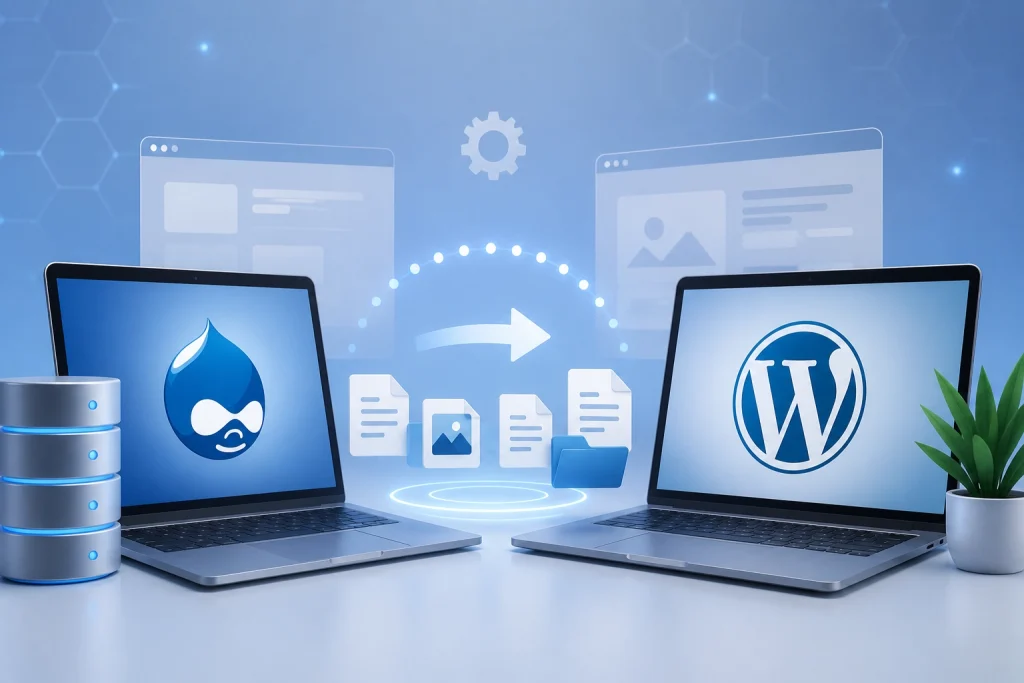
If your business currently runs on Drupal, there’s a good chance you’ve thought about moving to WordPress at some point. Maybe your team finds Drupal too complex to manage day to day. Maybe you’re paying more for development support than you’d like. Or maybe you simply want a platform that’s easier to update, faster to launch new pages on, and less dependent on specialized developers for routine changes.
Whatever the reason, migrating from one CMS to another is not something to rush. Done well, a Drupal to WordPress migration service can move your entire site, content, rankings, and functionality, without disrupting your business. Done poorly, it can cost you traffic, leads, and weeks of cleanup. This guide walks you through exactly what the process looks like, step by step, so you know what to expect and what to look for in a migration partner.
Why Businesses Are Moving From Drupal to WordPress
Drupal is a capable platform, but it was built with large, complex organizations in mind. That power comes with a cost: it typically requires specialized developers for even small updates, and the learning curve for non-technical teams is steep.
Businesses commonly choose to migrate for reasons like these:
- Easier content management. WordPress is built for teams without a dedicated development resource on hand.
- Lower ongoing costs. WordPress has a larger pool of developers and a wider range of affordable plugins, which usually means lower maintenance costs.
- Faster page and feature updates. Marketing teams can often make changes themselves instead of waiting on a developer.
- A larger plugin and theme ecosystem. From SEO tools to booking systems, WordPress supports a wide range of ready-made solutions.
- Better long-term flexibility. As your business grows, WordPress makes it simpler to add new functionality without a full rebuild.
None of this means Drupal is a bad platform. It simply means WordPress is often a better fit for growing businesses that value speed, simplicity, and lower overhead.
What a Professional Drupal to WordPress Migration Service Actually Does
A proper migration is much more than copying content from one site to another. A professional Drupal to WordPress migration service typically handles:
- Full content export from Drupal, including pages, posts, and custom content types
- Content mapping so Drupal fields align correctly with WordPress structures
- Media file migration, including images, documents, and other assets
- URL structure preservation and 301 redirect implementation, so search rankings aren’t lost
- Metadata migration, including titles, descriptions, and structured data
- User and database migration, where relevant
- Rebuilding custom functionality that doesn’t have a direct WordPress equivalent
- Design and theme development to match or improve on your current site
- Post-migration testing across devices, browsers, and forms
This is exactly why most businesses choose to work with a migration agency rather than attempt this internally. There are many small details that, if missed, can quietly damage your SEO or break functionality your customers rely on.
The Drupal to WordPress Migration Process: Step by Step
Here’s what a well-run migration typically looks like from start to finish.
Step 1: Audit and Planning
Before anything moves, your migration team should fully audit your existing Drupal site. This includes cataloging all pages, content types, custom modules, forms, integrations, and current URL structures. This step also identifies which content is outdated and can be retired, which reduces migration time and keeps your new site cleaner.
Step 2: Content and Media Migration
Next, all content gets exported from Drupal and mapped into the correct WordPress structure. This includes blog posts, landing pages, product listings, images, PDFs, and any other media. Content mapping matters here: a Drupal content type doesn’t always translate directly into a WordPress post type, so this step needs careful planning rather than a simple copy-paste.
Step 3: URL Structure and SEO-Safe Redirects
This is one of the most important steps in the entire process, and it’s where a Drupal to WordPress migration without losing SEO really depends on getting the details right. Your team should:
- Map every old Drupal URL to its new WordPress equivalent
- Set up 301 redirects for every changed URL, not just the main pages
- Preserve URL structure wherever possible to minimize the number of redirects needed
- Update internal links so they point to the new URLs directly, rather than relying only on redirects
Skipping or rushing this step is one of the most common causes of lost search rankings after a migration.
Step 4: Custom Functionality and Database Migration
If your Drupal site has custom modules, forms, or integrations, these need to be rebuilt using WordPress equivalents or custom development. This might include membership areas, custom search filters, multi-language setups, or third-party integrations. Any database elements that need to carry over, such as user accounts or submission history, are migrated at this stage as well.
Step 5: Design and Theme Rebuild
Rather than simply recreating your old design, this is often a good opportunity to modernize your site. A migration is a natural point to improve page speed, mobile responsiveness, and overall user experience, alongside the CMS switch itself.
Step 6: Testing Before Launch
Before going live, the new WordPress site should be tested thoroughly:
- All forms submit correctly and route to the right place
- All redirects work as expected, with no broken links
- Media displays correctly across devices
- Site speed and mobile performance meet expectations
- Any custom functionality behaves exactly as it did on Drupal
Step 7: Go-Live and Post-Migration Monitoring
Once testing is complete, the new site goes live, ideally during a low-traffic window to minimize disruption. After launch, your team should monitor search rankings, crawl errors, and site performance closely for the first few weeks. This is the window where any missed redirects or broken elements tend to surface, so catching them early matters.
How to Migrate Without Losing SEO Rankings
SEO is usually the biggest concern business owners have before a migration, and it’s a fair one. A poorly planned migration can undo years of ranking progress. To protect your rankings:
- Never change URLs unnecessarily; keep the same structure where possible
- Set up a 301 redirect for every single page that does change
- Migrate all metadata, including title tags, meta descriptions, and alt text
- Preserve your XML sitemap and resubmit it to Google Search Console after launch
- Keep your internal linking structure intact
- Monitor rankings and organic traffic closely in the weeks after launch
When these steps are handled carefully, most businesses see little to no drop in rankings, and some even see improvements thanks to WordPress’s speed and SEO plugin advantages.
Common Challenges in Drupal to WordPress Migration (and How to Avoid Them)
Every migration comes with a few predictable challenges. Knowing them ahead of time makes them much easier to manage:
- Content type mismatches. Drupal’s flexible content types don’t always map cleanly to WordPress. Planning this early avoids last-minute scrambling.
- Missed redirects. Even one missed redirect on a page with strong rankings can cause a noticeable traffic dip. A full URL audit prevents this.
- Custom functionality gaps. Not every Drupal module has a direct WordPress equivalent, so some custom development is often needed.
- Underestimating timeline. Larger sites with lots of custom content typically need more time than business owners expect. A realistic timeline avoids a rushed, error-prone launch.
- Skipping testing. Launching without thorough testing is one of the most common (and avoidable) mistakes in any CMS migration.
How Much Does a Drupal to WordPress Migration Cost?
Costs vary depending on a few key factors: the size of your existing site, how much custom functionality needs to be rebuilt, whether you want a redesign alongside the migration, and how much content needs to be manually reviewed versus automatically transferred. Smaller business sites with straightforward content typically cost less and move faster, while larger sites with custom modules, multiple content types, or complex integrations require more planning and development time. The most reliable way to get an accurate number is a scoped audit of your current site, which most professional migration services offer as a first step.
Why Work With a Professional Migration Agency Instead of DIY
It’s technically possible to attempt a Drupal to WordPress migration using free plugins and tutorials, but for most businesses, this comes with real risk. DIY migrations often miss redirects, lose metadata, or fail to properly rebuild custom functionality, all of which can be costly to fix after the fact.
A professional Drupal CMS migration service brings experience with exactly these pitfalls, along with a structured process for testing and SEO preservation. This is also a good opportunity to pair your migration with ongoing website development and support & maintenance, so your new WordPress site stays secure and up to date long after launch. Many businesses combine this with WordPress speed optimization to make sure the new site isn’t just easier to manage, but noticeably faster too. Some are also exploring AI services alongside the migration, using the platform switch as a chance to add smarter tools like chatbots or automated content workflows.
Drupal to WordPress Migration for Businesses in Texas, California, Florida, New York, and Washington
Where your business operates can actually shape how a migration should be planned, especially if local search visibility matters to you. Businesses in competitive markets like Texas, California, Florida, New York, and Washington rely heavily on local search rankings to bring in customers, which makes SEO-safe migration even more important.
- Texas. With fast-growing markets in Houston, Dallas, and Austin, local businesses often compete on speed and mobile experience as much as price. A migration that improves page speed while preserving local rankings gives Texas businesses a real edge.
- California. Highly competitive industries, especially in tech, retail, and professional services, mean even a short dip in rankings during migration can be costly. Careful redirect mapping matters more here than almost anywhere else.
- Florida. Many Florida businesses serve seasonal or tourism-driven traffic, so uptime and reliability during the migration window are critical to avoid missing peak search periods.
- New York. Dense competition across nearly every industry means local pack rankings and Google Business Profile alignment need extra attention during and after a migration.
- Washington. With a strong concentration of tech-forward businesses, Washington-based companies are often early adopters of platform upgrades like WordPress migrations, and tend to expect faster, more automated post-launch support.
If your business serves customers in one or more of these states, it’s worth asking your migration provider how they plan to protect local search visibility specifically, not just overall site rankings.
Using AI and Automation to Get More From Your New WordPress Site
A migration is also a natural moment to think beyond simply moving your existing site over. WordPress’s plugin ecosystem makes it much easier to add AI-powered tools that Drupal often can’t support without heavy custom development.
Once your site is on WordPress, businesses commonly explore:
- AI chatbots that handle common customer questions and capture leads outside business hours
- Automated content tools that help teams publish updates faster without a developer
- AI-assisted SEO tools that flag optimization opportunities as new content goes live
- Automated monitoring that flags security or performance issues before they affect visitors
None of this needs to happen on day one. But planning your migration with future AI and automation needs in mind means your new site is ready to support these tools when you are, rather than requiring another rebuild down the line.
Frequently Asked Questions
How do I migrate Drupal to WordPress safely? Start with a full site audit, map your content and URLs carefully, set up 301 redirects for every changed page, and test thoroughly before launch. Working with an experienced migration service reduces the risk of losing content or rankings.
What is the best Drupal to WordPress migration service for businesses? Look for a service with a clear, documented process covering content migration, SEO-safe redirects, custom functionality rebuilding, and post-launch testing, not just a basic content import.
Can I migrate from Drupal to WordPress without losing SEO? Yes, as long as URL structure is preserved, every changed page gets a 301 redirect, and metadata is migrated correctly. Most ranking drops happen when these steps are rushed or skipped.
How much does Drupal to WordPress migration cost? Cost depends on site size, custom functionality, and whether a redesign is included. A scoped audit from a migration service is the most accurate way to get a real estimate.
What are the steps for moving a business website from Drupal to WordPress? The typical process includes an audit and plan, content and media migration, URL and redirect mapping, custom functionality rebuilding, design work, testing, and a monitored launch.
How do I choose a Drupal to WordPress migration agency for my business? Look for proven experience with CMS migrations specifically, a clear process for SEO preservation, and references or case studies from similar-sized business websites.
How can I preserve rankings during a Drupal migration? Keep your URL structure as close to the original as possible, redirect every page that changes, migrate metadata completely, and monitor Google Search Console closely after launch.
What makes a migration company an expert in Drupal to WordPress conversion? Look for a track record of handling content mapping, custom module replacement, and SEO-safe redirects, along with clear post-launch testing and support.
Conclusion
A Drupal to WordPress migration is a big decision, but with the right process, it doesn’t have to be a risky one. From content mapping and SEO-safe redirects to custom functionality and thorough testing, every step exists to protect what you’ve already built while giving your business a platform that’s easier to manage going forward.
If you’re considering making the switch, working with a team that specializes in Drupal to WordPress migration services can save you time, protect your search rankings, and get your new site live with confidence. Reach out to our team today to get a free audit of your current Drupal site.