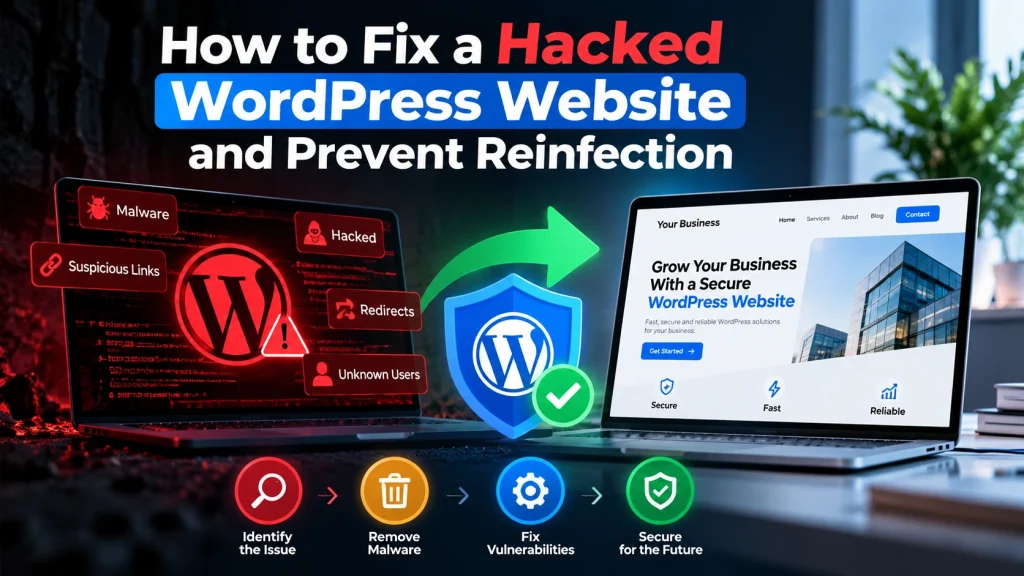
Finding out that your WordPress website has been hacked can be stressful, especially when your website is generating leads, handling customer information, or supporting your day-to-day business.
The good news is that a hacked website can often be recovered and secured with the right process.
The important thing is to avoid making random changes or simply restoring an old backup without understanding how the website was compromised. A proper recovery should remove the malicious code, identify the likely entry point, secure the website, and reduce the chance of the problem coming back.
At Dev Mechanix, we have helped clients resolve compromised WordPress websites and restore their websites to a secure, working state. The same structured approach can be used to protect other business websites.
What Should You Do If Your WordPress Website Is Hacked?
If your website is showing unexpected redirects, unfamiliar pages, suspicious pop-ups, strange admin users, or other unusual behaviour, don’t panic.
Start by limiting further damage.
Depending on the situation, this may include temporarily restricting access, taking a complete backup for investigation, and changing important credentials.
Avoid deleting files or plugins immediately because they may contain information that helps identify how the compromise happened.
The first goal is to understand what changed and which parts of the website may have been affected.
1. Identify How the WordPress Website Was Compromised
A hacked WordPress website usually has an underlying cause.
Common possibilities include:
Outdated WordPress core
Vulnerable plugins or themes
Compromised administrator credentials
Weak passwords
Insecure hosting configuration
Malicious or abandoned plugins
Unprotected file upload functionality
Compromised third-party services
Finding the entry point is important because removing the visible malware without fixing the original weakness can result in reinfection.
A proper website security review should therefore look beyond the homepage and check the WordPress installation, database, users, plugins, themes, configuration files, and hosting environment.
2. Create a Clean Backup Before Making Major Changes
Before performing significant cleanup, create a backup of the affected website.
Keep the backup separate from the live installation so you have a reference point if something needs to be reviewed later.
A useful backup may include:
WordPress files
Database
Uploads
Theme files
Plugin files
Configuration information
However, don’t automatically restore an old backup and assume the problem is solved.
If the backup was created after the website was compromised, it may contain the same malicious files or database changes.
3. Remove Malware and Suspicious Changes
Once the affected areas have been identified, the next step is cleaning the website.
This may involve checking for:
Unknown PHP files
Modified WordPress core files
Suspicious code inside themes
Malicious plugins
Unknown administrator accounts
Unexpected database entries
Unusual redirects
Injected JavaScript
Spam pages or links
Security scanners can help identify suspicious files, but automated scanning should not replace proper review.
The cleanup process should focus on removing the malicious changes while preserving legitimate website functionality.
4. Update WordPress, Plugins, Themes, and PHP
After cleaning the website, update the software that powers it.
This includes WordPress core, plugins, themes, and, where appropriate, the PHP version supported by the website.
Outdated software can contain known vulnerabilities. Keeping everything maintained reduces the risk of attackers exploiting old security weaknesses.
However, updates should be tested before being applied to a critical production website.
A compatibility issue caused by an update can create a different problem, so a controlled update process is important.
5. Secure WordPress User Accounts and Passwords
A compromised administrator account can give an attacker extensive control over a WordPress website.
Review all WordPress users and remove accounts that should no longer have access.
Then reset passwords for important accounts and review administrator privileges.
Where possible, enable multi-factor authentication and use unique, strong passwords.
Don’t forget credentials outside WordPress as well.
Depending on the incident, you may need to review:
Hosting accounts
FTP/SFTP users
Database credentials
Email accounts
API keys
Domain management accounts
If an attacker obtained credentials, simply cleaning the website may not be enough.
6. Check the Website After Cleanup
After the malicious content has been removed, the website should be tested carefully.
Check important areas such as:
Homepage
Contact forms
Login functionality
Checkout or WooCommerce
User accounts
APIs
Tracking tools
Third-party integrations
Mobile layouts
Redirects
Also check Google Search Console for security-related warnings and unexpected indexed pages.
The goal is not only to make the website look normal again but to confirm that its important business functionality is working correctly.
7. Prevent the Website From Being Hacked Again
Website recovery is only half the job.
To reduce the chance of reinfection, establish an ongoing security and maintenance process.
This can include:
Regular WordPress updates
Plugin and theme reviews
Malware monitoring
Secure administrator accounts
Strong passwords
Multi-factor authentication
Regular off-site backups
Security monitoring
Removing unused plugins and themes
Reviewing hosting security
Monitoring unusual website activity
Security works best as an ongoing process rather than a one-time cleanup.
How Dev Mechanix Helps Businesses Recover Hacked WordPress Websites
A hacked business website doesn’t always mean that you need to rebuild everything from scratch.
The right recovery strategy depends on the type and extent of the compromise.
At Dev Mechanix, we have worked with clients to identify security issues, clean compromised WordPress installations, restore website functionality, and improve the underlying setup to reduce future risks.
Our approach focuses on understanding the problem first, fixing the affected areas, testing the website, and strengthening the website after recovery.
If your WordPress website has been compromised, the priority is to get it cleaned, working, and properly secured—not to make the situation more complicated than it needs to be.
Frequently Asked Questions
How do I know if my WordPress website has been hacked?
Common signs include unexpected redirects, unfamiliar pages, suspicious pop-ups, unknown administrator accounts, modified website content, unusual files, or warnings from Google or your hosting provider.
Can a hacked WordPress website be fixed?
Yes, many hacked WordPress websites can be cleaned and restored without rebuilding the entire website. The appropriate solution depends on how the website was compromised and how extensive the damage is.
Should I delete my WordPress website after it is hacked?
Usually, deleting the entire website is not the first step. A security investigation should determine what was affected and whether the installation can be safely cleaned and restored.
Will restoring a backup remove the hack?
Not necessarily. If the backup was created after the compromise, it may contain malicious code or database changes. The backup should be reviewed before restoration.
How can I prevent my WordPress website from being hacked again?
Keep WordPress and its plugins and themes updated, use strong unique passwords, limit administrator access, enable multi-factor authentication, maintain secure backups, and regularly monitor the website for suspicious activity.
Can outdated plugins cause a WordPress website to be hacked?
Yes. Vulnerable or outdated plugins can create security weaknesses that attackers may exploit. Unused plugins should also be removed instead of simply being left inactive.
What should I do immediately after discovering a hacked website?
Avoid making random changes. Secure access, preserve a backup for investigation, review suspicious activity, identify the likely entry point, and begin a structured cleanup and security process.
Do I need professional help to fix a hacked WordPress website?
Not every incident requires professional assistance, but professional security help can be valuable when the infection is difficult to identify, the website keeps getting reinfected, sensitive information may have been exposed, or the website is important to your business.
Final Thoughts
A hacked WordPress website can be worrying, but it doesn’t have to become a business disaster.
The key is to approach the recovery systematically: identify the problem, preserve the right information, remove malicious changes, secure compromised accounts, update vulnerable software, test the website, and put ongoing security measures in place.
Most importantly, don’t stop at removing the visible problem. Understanding why the website was compromised is what helps reduce the risk of the same issue happening again.
If your business website has been hacked, the right response is a structured recovery—not panic.