CodeIgniter is a lightweight PHP framework used to build websites, web applications, APIs, and custom business systems. Its simple structure makes development easier, but like any PHP application, security still depends on keeping the framework, dependencies, configuration, and custom code properly maintained.
If your CodeIgniter application has been flagged for a security vulnerability, there is no need to panic. Many security issues can be identified and fixed without rebuilding the entire application.
What Are CodeIgniter Security Vulnerabilities?
CodeIgniter security vulnerabilities are weaknesses in the framework, its dependencies, application configuration, or custom code that could potentially be abused by attackers.
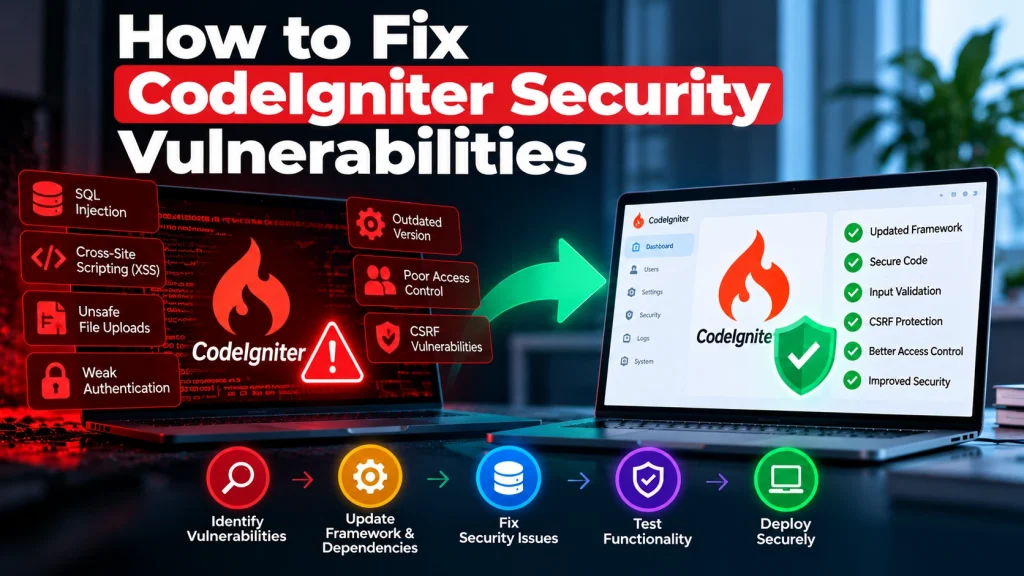
Common areas that require attention include:
-
Outdated CodeIgniter versions
-
Vulnerable third-party dependencies
-
SQL injection
-
Cross-site scripting (XSS)
-
Cross-site request forgery (CSRF)
-
Unsafe file uploads
-
Weak authentication
-
Poor access controls
-
Insecure session handling
-
Exposed configuration or sensitive data
The actual risk depends on the application, the affected component, and how the vulnerable functionality is implemented.
Why Keeping CodeIgniter Updated Matters
Using an outdated framework version can leave your application exposed to known security issues. Updates may include security patches, bug fixes, compatibility improvements, and dependency updates.
However, upgrading should be planned carefully. A major version change can require code modifications, so it is important to review the application before making changes to production.
How to Check for CodeIgniter Security Issues
Start by identifying the exact CodeIgniter version running on your application.
Then review:
-
CodeIgniter framework version
-
Composer dependencies
-
PHP version
-
Third-party libraries
-
Custom PHP code
-
Server configuration
-
Authentication and authorization
-
Database queries
-
File upload functionality
Security advisories and dependency checks can help identify known vulnerabilities, while a manual code review can uncover application-specific weaknesses.
How to Fix CodeIgniter Security Vulnerabilities
1. Identify the Vulnerability
Before changing anything, determine what is actually affected.
Check the vulnerability details, affected versions, recommended fixed versions, and whether the vulnerable functionality is used by your application.
This prevents unnecessary changes and makes the remediation process more controlled.
2. Update CodeIgniter Safely
If the vulnerability affects your CodeIgniter version, upgrade to an appropriate supported release when possible.
Before updating production, review the application’s compatibility and create a reliable backup.
For larger upgrades, test the new version in a staging environment first.
3. Update Dependencies
CodeIgniter applications may use Composer packages and other third-party libraries.
Review these dependencies regularly and update vulnerable packages to secure compatible versions.
Avoid blindly updating everything at once. Dependency changes should be reviewed and tested to prevent unexpected compatibility issues.
4. Secure Database Queries
SQL injection remains an important security concern for PHP applications.
Use CodeIgniter’s database features and query-building mechanisms appropriately instead of directly inserting untrusted user input into SQL queries.
Validate input and use parameterized queries wherever applicable.
5. Protect Against XSS
User-controlled content should never be trusted automatically.
Validate and sanitize input where appropriate, and properly escape output before displaying it in HTML, JavaScript, or other contexts.
CodeIgniter’s built-in security features can help, but developers still need to use them correctly throughout the application.
6. Enable CSRF Protection
If your application handles forms or state-changing requests, CSRF protection can help prevent unauthorized actions performed through a user’s authenticated session.
Review CSRF configuration and make sure important forms and requests are protected according to the application’s requirements.
7. Review Authentication and Access Control
A secure login system is only one part of application security.
Check whether authenticated users can access resources or actions they should not be allowed to use.
Review roles, permissions, admin routes, API endpoints, and direct URL access to sensitive functionality.
8. Secure File Uploads
File uploads can introduce serious risks when they are not properly restricted.
Review allowed file types, file names, upload locations, file sizes, and server permissions.
Uploaded files should not automatically be treated as trusted content.
9. Secure Configuration and Secrets
Production configuration should not expose database credentials, API keys, passwords, or other sensitive information.
Review environment variables, configuration files, debug settings, error messages, and server permissions.
Detailed application errors should also be restricted in production.
Test Before Deploying Security Fixes
Security updates should be tested before being applied to a live application.
Use a staging environment to test:
-
Login and registration
-
Forms
-
Database operations
-
Admin functionality
-
APIs
-
File uploads
-
Payment or third-party integrations
-
Important business workflows
This helps ensure that security improvements do not introduce unexpected functionality problems.
How Dev Mechanix Can Help
If your CodeIgniter application has a reported vulnerability or is running an outdated framework version, you do not necessarily need to replace the application.
Dev Mechanix can review your existing CodeIgniter application, identify security risks, update vulnerable components, improve insecure code, and test fixes before deployment.
The goal is to fix the underlying security issue while keeping your existing application stable and maintainable.
Frequently Asked Questions
What are CodeIgniter security vulnerabilities?
They are weaknesses that may exist in the CodeIgniter framework, dependencies, configuration, or custom application code. Their impact depends on the specific vulnerability and application setup.
How do I check my CodeIgniter version?
You can identify the framework version from the application’s project files or framework configuration, depending on the CodeIgniter version being used.
Can an outdated CodeIgniter application be secured?
Yes. In many cases, security issues can be addressed through framework updates, dependency updates, secure configuration, and improvements to custom code.
Do I need to rebuild my CodeIgniter website?
Usually not. The appropriate solution depends on the vulnerability and application architecture. A security assessment should be performed before deciding on a rebuild.
Can updating CodeIgniter break my website?
It can, particularly when moving between major versions. Testing in a staging environment and reviewing compatibility before deployment can reduce the risk.
How often should CodeIgniter applications be checked?
Security and dependency checks should be performed regularly. Critical vulnerabilities should be reviewed and addressed as soon as practical.
Can Dev Mechanix fix CodeIgniter security vulnerabilities?
Yes. Dev Mechanix can help businesses review existing CodeIgniter applications, identify vulnerabilities, update dependencies, improve security, and safely deploy tested fixes.