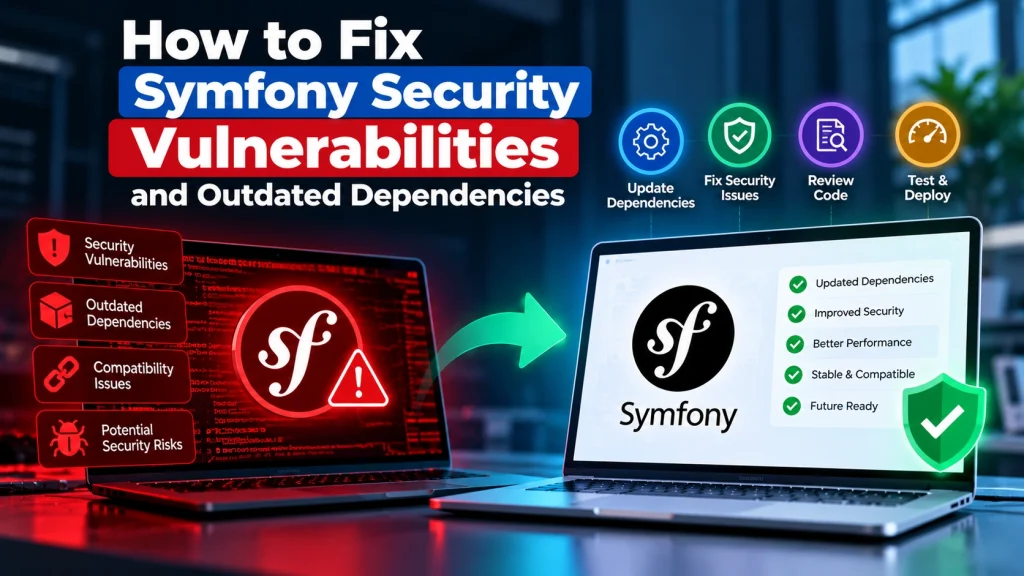
How to Fix Symfony Security Vulnerabilities and Outdated Dependencies

How to Fix Symfony Security Vulnerabilities Safely
Symfony is a powerful PHP framework used to build websites, APIs, dashboards, and custom business applications. Like any software framework, Symfony applications need regular maintenance to remain secure. Outdated Symfony components or third-party dependencies can introduce security vulnerabilities, compatibility problems, and unexpected application behaviour. The good news is that finding an outdated dependency does not automatically mean your application has been hacked or needs to be rebuilt. In many cases, the issue can be addressed through a structured security review, controlled updates, and proper testing.

What Are Symfony Security Vulnerabilities?

Symfony security vulnerabilities are weaknesses that may affect Symfony components or the way an application uses them. Potential security problems can involve:
  • Outdated Symfony components
  • Vulnerable Composer dependencies
  • Improper authentication
  • Weak access controls
  • Unsafe handling of user input
  • Cross-site scripting (XSS)
  • Cross-site request forgery (CSRF)
  • Insecure file handling
  • Misconfigured application environments
The actual risk depends on the affected component, Symfony version, application configuration, and how the vulnerable functionality is being used.

Why Outdated Symfony Dependencies Matter

Symfony applications commonly rely on Composer packages and third-party libraries. Over time, these dependencies may receive security updates, bug fixes, or new versions. Continuing to use an outdated package can leave an application exposed to known issues. This is why dependency management should be part of regular website and application maintenance.

How to Check for Vulnerable Dependencies

The first step is to identify what your application is actually using. Composer provides tools for managing PHP dependencies, while Symfony projects can be reviewed through their composer.json and composer.lock files. A security review should check:
  • Symfony version
  • Installed Composer packages
  • Package versions
  • Known security advisories
  • PHP version
  • Custom application code
  • Server configuration
The goal is to understand the real environment before making changes.

How to Fix Symfony Security Vulnerabilities

1. Identify the Affected Component

Start by determining which Symfony component or dependency is affected. Avoid updating random packages without understanding the issue. Identify the vulnerable package, affected version, fixed version, and any compatibility requirements.

2. Update Symfony and Composer Dependencies

Where appropriate, update the affected Symfony component or dependency to a supported and secure version. Major framework upgrades may require code changes, while smaller updates can often be handled with less disruption. Always review the dependency changes before deploying them.

3. Review Custom PHP Code

Not every security problem comes from a third-party package. Review application code that handles:
  • User input
  • Database queries
  • Authentication
  • Permissions
  • File uploads
  • API requests
  • Sessions
  • Sensitive information
A secure dependency cannot compensate for insecure custom application logic.

4. Test Before Updating Production

Do not make major dependency changes directly on a live business application whenever possible. Create a staging environment and test important functionality, including login, forms, APIs, dashboards, database operations, and third-party integrations. This helps identify compatibility problems before customers experience them.

5. Check Authentication and Access Control

Symfony applications often contain different user roles and permissions. Review whether users can access information or functionality outside their assigned permissions. Authentication should verify identity, while authorization should determine what an authenticated user is allowed to do.

6. Secure Application Configuration

Production applications should use secure environment settings. Review secrets, database credentials, API keys, debug settings, session configuration, and other sensitive values. Production environments should also avoid exposing detailed error information to visitors.

7. Monitor After Deployment

After applying security updates, monitor the application for errors or unexpected behaviour. Check logs, forms, authentication, APIs, background processes, and other critical features. Security maintenance is an ongoing process rather than a one-time update.

How Dev Mechanix Can Help

If your Symfony application has outdated dependencies or a reported security vulnerability, you do not necessarily need to replace the application. Dev Mechanix can review your Symfony environment, identify vulnerable dependencies, assess compatibility, update supported components, and help fix security issues in custom PHP code. We can also help test updates before deployment so your business application remains stable while security improvements are applied. The objective is simple: fix the underlying problem, reduce security risk, and keep your Symfony application maintainable for future updates.

Frequently Asked Questions

What are Symfony security vulnerabilities?

They are security weaknesses affecting Symfony components or the way a Symfony application is developed and configured. They can involve framework components, dependencies, authentication, input handling, or application logic.

How do I check for vulnerable Symfony dependencies?

Review the Symfony version and Composer dependencies and check them against current security advisories. A professional security review can also identify issues in custom application code and configuration.

Do outdated Composer packages make my Symfony website unsafe?

They can increase security and compatibility risks, particularly when a package contains a known vulnerability or is no longer supported.

Do I need to rebuild my Symfony application?

Not necessarily. Many security vulnerabilities can be fixed by updating dependencies, changing insecure code, improving configuration, and testing the application properly.

Can Symfony security updates break my application?

They can sometimes cause compatibility issues, especially when moving between major framework versions. Testing updates in a staging environment helps identify and resolve these issues before production deployment.

How often should Symfony dependencies be updated?

Dependencies should be monitored regularly rather than waiting until a serious security problem occurs. Critical security updates should be reviewed and addressed as soon as practical.

Can custom Symfony code also have security vulnerabilities?

Yes. Even if Symfony and Composer packages are fully updated, insecure custom code can still create vulnerabilities. Application logic should be included in a security review.

Can Dev Mechanix secure an existing Symfony application?

Yes. Dev Mechanix can review existing Symfony applications, identify security and dependency issues, update vulnerable components, improve application security, and help test changes before deployment.

Related Blogs

Contact Us

Saad

Editor

Follow Saad on social media:

Related Blogs

Thank you!

Your request has been received

Our team will get in touch with your shortly.

Get in touch today

Contact us today to discover tailored digital solutions that accelerate your business growth and online success.