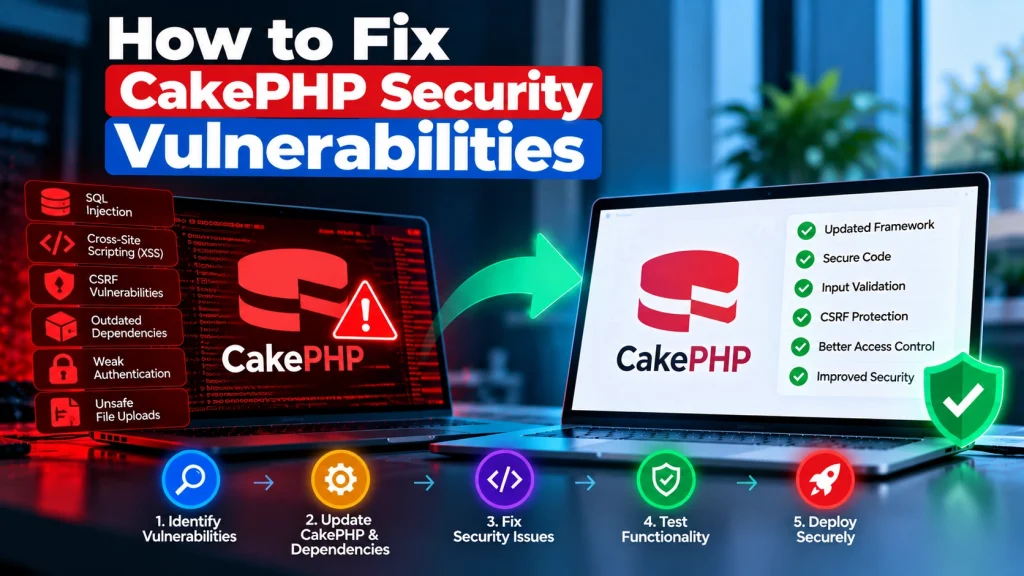
CakePHP is a popular PHP framework used to build websites, business applications, APIs, and content management systems. It provides built-in security features, but that does not mean every CakePHP application is automatically protected.
Outdated framework versions, vulnerable Composer packages, insecure database queries, and weak input validation can expose your application to security threats.
The good news is that most common CakePHP security issues can be addressed through regular updates, secure coding practices, and proper application configuration.
In this guide, we’ll explain how to identify and fix CakePHP security vulnerabilities and keep your PHP application more secure.
Contents
hide
What Are CakePHP Security Vulnerabilities?
CakePHP security vulnerabilities are weaknesses in the framework, third-party packages, application code, or server configuration that attackers may exploit. Some common security risks include:- SQL injection through unsafe database queries.
- Cross-site scripting (XSS) through unescaped user input.
- Cross-site request forgery (CSRF) attacks.
- Insecure authentication and access permissions.
- Vulnerable Composer dependencies.
- Unsafe file uploads and application configurations.
1. Check Your CakePHP Version
One of the first steps is checking which CakePHP version your application uses. Older framework versions may no longer receive security updates, making it harder to protect your application against newly discovered vulnerabilities. Run this command from your project directory:composer show cakephp/cakephpcomposer outdated2. Update CakePHP and Composer Dependencies
Outdated framework components and third-party packages are common sources of security vulnerabilities. Start by checking your dependencies:composer auditcomposer update cakephp/cakephp --with-dependencies- Back up your application and database.
- Review the framework’s upgrade guide.
- Check plugin compatibility.
- Test changes in a staging environment.
- Review application logs after deployment.
3. Prevent SQL Injection Attacks
SQL injection occurs when an attacker manipulates database queries through untrusted input. For example, directly inserting user-provided values into SQL statements can create serious security risks. Avoid constructing queries using string concatenation. Instead, use CakePHP’s ORM and query builder:$query = $this->Users->find()
->where(['email' => $email]);
$user = $query->first();$connection = ConnectionManager::get('default');
$result = $connection->execute(
'SELECT * FROM users WHERE email = :email',
['email' => $email]
)->fetchAll('assoc');- Never trust user-provided SQL identifiers or expressions.
- Validate input before using it in queries.
- Avoid passing untrusted values into raw SQL expressions.
- Review database query construction in custom functions.
4. Protect Your Application Against XSS
Cross-site scripting (XSS) happens when attackers inject malicious scripts into pages viewed by other users. For example, an unsafe comment or profile field could contain JavaScript that executes when another visitor opens the page. CakePHP provides HTML escaping through its view tools. When displaying user-generated content, escape output appropriately:<?= h($user->name) ?>- Avoid rendering untrusted HTML without sanitization.
- Review custom templates and helper functions.
- Validate user-submitted content.
- Consider a Content Security Policy (CSP).
5. Enable CSRF and Form Protection
Cross-site request forgery (CSRF) can trick authenticated users into performing unwanted actions on a website. For example, an attacker may attempt to submit an unauthorized request using a victim’s active session. CakePHP includes built-in protection features that help prevent these attacks. Review your application’s middleware configuration and enable the appropriate CSRF protection for your routes. Also use CakePHP’s form protection features where applicable. Important practices include:- Protecting forms that perform sensitive actions.
- Avoiding state-changing operations through GET requests.
- Validating requests on the server.
- Reviewing API authentication and CSRF requirements.
- Testing login, registration, and account-management workflows.
6. Strengthen Authentication and Access Control
Weak authentication and poorly configured permissions can allow unauthorized users to access sensitive application areas. Review how your CakePHP application handles user accounts, passwords, sessions, and permissions. Recommended security practices include:- Use secure password hashing rather than storing plain-text passwords.
- Require strong passwords.
- Apply role-based access control.
- Protect administrator routes.
- Regenerate sessions after authentication.
- Configure appropriate session expiration.
- Add multi-factor authentication where suitable.
7. Secure File Uploads and Application Configuration
File uploads can introduce security risks when applications accept dangerous file types or store uploaded files in publicly executable directories. To improve upload security:- Allow only required file extensions.
- Verify actual file types.
- Set reasonable file size limits.
- Generate unique filenames.
- Store sensitive uploads outside the public web directory.
- Prevent uploaded scripts from executing.
8. Monitor Security Advisories and Test Your Application
Security is an ongoing process. A framework update alone cannot guarantee that every application-level vulnerability has been fixed. Regularly review:- Official CakePHP security advisories.
- Composer dependency audit results.
- Application and server error logs.
- Authentication and permission workflows.
- Database query handling.
- File upload functionality.
- Custom plugins and integrations.
How Dev Mechanix Helps Secure CakePHP Applications
Maintaining a secure PHP application requires more than installing updates. Framework compatibility, custom code, third-party dependencies, and server configuration all need attention. At Dev Mechanix, we help businesses improve the security, performance, and reliability of their web applications. Our development support includes:- CakePHP security reviews.
- Framework and Composer dependency updates.
- SQL injection and XSS prevention.
- Authentication and access-control improvements.
- Secure application configuration.
- Website maintenance and technical support.
Frequently Asked Questions
1. Is CakePHP secure for business applications?
Yes. CakePHP provides built-in security features, but developers must configure and use them correctly. Regular updates and secure coding practices are essential.2. How do I check for CakePHP security vulnerabilities?
Check your installed framework version, runcomposer audit, review official CakePHP security advisories, and inspect your custom application code.