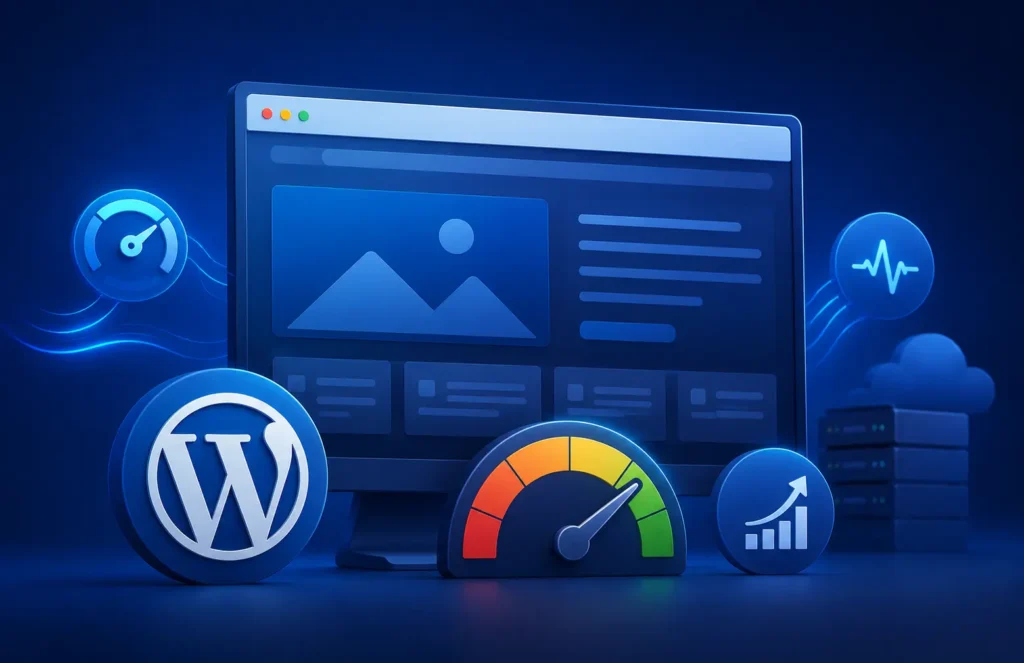
Website speed and user experience play a major role in modern SEO. Google’s Core Web Vitals have become essential performance metrics that directly impact user satisfaction and can influence search rankings. If your WordPress website loads slowly or provides a poor browsing experience, visitors are more likely to leave before taking action.
Improving Core Web Vitals on WordPress helps businesses create faster websites, improve user engagement, reduce bounce rates, and increase conversion opportunities. Whether you’re running a business website, ecommerce store, blog, or enterprise platform, optimizing website performance should be a priority.
In this guide, we’ll explain what Core Web Vitals are, why they matter, and how to improve Core Web Vitals on WordPress using practical optimization strategies.
What Are Core Web Vitals?
Core Web Vitals are a set of website performance metrics introduced by Google to measure real-world user experience.
The three primary Core Web Vitals metrics include:
Largest Contentful Paint (LCP)
LCP measures how long it takes for the largest visible content element on a page to load.
Examples include:
- Hero images
- Large banners
- Featured content sections
- Main headings
Google recommends an LCP score of 2.5 seconds or less.
Interaction to Next Paint (INP)
INP measures how quickly a website responds to user interactions such as clicks, taps, and keyboard input.
A lower INP score creates a smoother and more responsive user experience.
Cumulative Layout Shift (CLS)
CLS measures visual stability during page loading.
Layout shifts occur when content unexpectedly moves while users are interacting with a page.
Common examples include:
- Images loading without dimensions
- Ads shifting content
- Fonts causing layout movement
Google recommends maintaining a CLS score below 0.1.
Why Core Web Vitals Matter for WordPress Websites
Core Web Vitals impact more than just SEO.
Benefits of improving WordPress performance include:
- Better user experience
- Higher engagement rates
- Reduced bounce rates
- Improved conversion rates
- Increased customer satisfaction
- Better mobile usability
- Stronger search visibility
A fast and stable website encourages visitors to stay longer and interact with your content.
How to Check Core Web Vitals on WordPress
Before making improvements, you should analyze your website’s current performance.
Useful tools include:
Google PageSpeed Insights
PageSpeed Insights provides detailed Core Web Vitals reports and optimization recommendations.
It highlights:
- LCP issues
- CLS problems
- Mobile performance
- Performance opportunities
Google Search Console
The Core Web Vitals report in Search Console helps identify pages with poor performance across your website.
Lighthouse
Google Lighthouse provides detailed technical performance audits that help identify optimization opportunities.
Improve Largest Contentful Paint (LCP) on WordPress
LCP optimization WordPress improvements focus on loading important content faster.
Optimize Images
Large images are one of the most common causes of poor LCP scores.
Best practices include:
- Compress images
- Use modern formats such as WebP
- Resize images properly
- Enable lazy loading where appropriate
Optimized images reduce load times and improve overall website performance.
Upgrade Your Hosting
Hosting plays a significant role in website speed.
Choose hosting that offers:
- Fast server response times
- SSD storage
- CDN support
- Optimized WordPress environments
Slow hosting can negatively impact every performance metric.
Implement Caching
Caching helps deliver content faster by storing pre-generated versions of pages.
Benefits include:
- Faster page loads
- Reduced server workload
- Improved user experience
Popular caching solutions can significantly improve LCP performance.
Minimize Render-Blocking Resources
CSS and JavaScript files can delay page rendering.
Improve performance by:
- Removing unused code
- Deferring JavaScript
- Minifying CSS
- Combining files where appropriate
Reducing render-blocking resources allows important content to appear faster.
Fix Cumulative Layout Shift (CLS) on WordPress
CLS fix WordPress strategies focus on improving visual stability.
Set Image Dimensions
Always define image width and height attributes.
This prevents layout shifts when images load.
Reserve Space for Ads and Embeds
Advertisements, videos, and embedded content should have predefined dimensions.
This helps maintain page stability during loading.
Optimize Web Fonts
Fonts can cause layout shifts if they load slowly.
Best practices include:
- Preloading fonts
- Hosting fonts locally
- Using font-display swap
These techniques improve visual consistency.
Avoid Dynamic Content Injection
Unexpected content appearing above existing elements often creates layout shifts.
Ensure dynamic elements load predictably without disrupting the user experience.
Improve Interaction to Next Paint (INP)
INP measures responsiveness and interaction speed.
Reduce JavaScript Usage
Excessive JavaScript can slow user interactions.
Optimize by:
- Removing unused scripts
- Delaying non-essential JavaScript
- Limiting third-party scripts
Optimize Plugins
Too many plugins can negatively affect responsiveness.
Regularly review plugins and remove unnecessary ones.
Improve Database Performance
WordPress databases can become bloated over time.
Optimization techniques include:
- Cleaning post revisions
- Removing unused data
- Optimizing database tables
A healthy database improves overall website responsiveness.
Use a Content Delivery Network (CDN)
A CDN distributes website content across multiple servers worldwide.
Benefits include:
- Faster global performance
- Reduced latency
- Improved loading times
- Better user experience
CDNs are particularly valuable for businesses serving visitors from multiple regions.
Optimize WordPress Themes and Plugins
Your theme and plugins significantly impact performance.
Choose:
- Lightweight themes
- Well-coded plugins
- Performance-focused solutions
Avoid bloated themes that load unnecessary scripts and features.
Regular audits help identify performance bottlenecks.
Mobile Performance Optimization
Most website traffic now comes from mobile devices.
To improve mobile Core Web Vitals:
- Use responsive design
- Compress images
- Reduce page weight
- Optimize mobile navigation
- Limit unnecessary animations
Mobile performance is essential for both SEO and user experience.
Common Core Web Vitals Mistakes
Many WordPress websites experience performance issues because of:
- Poor hosting
- Oversized images
- Excessive plugins
- Unoptimized themes
- Too many third-party scripts
- Lack of caching
- Unoptimized databases
Addressing these issues often produces significant performance improvements.
How Core Web Vitals Impact SEO
While content quality remains a primary ranking factor, website speed and user experience continue to influence search performance.
Google rewards websites that provide:
- Fast loading times
- Responsive interactions
- Stable page layouts
Improving Core Web Vitals helps create a stronger foundation for long-term SEO success.
Why Businesses Choose Dev Mechanix for WordPress Performance Optimization
At Dev Mechanix, we help businesses improve website speed, Core Web Vitals, and overall WordPress performance.
Our services include:
- Website Speed Optimization
- Core Web Vitals Optimization
- Front-End WordPress Development
- Back-End WordPress Development
- WordPress Support & Maintenance
- WooCommerce Performance Optimization
We focus on building fast, scalable, and SEO-friendly WordPress websites that deliver measurable results.
Frequently Asked Questions
What are Core Web Vitals in WordPress?
Core Web Vitals are performance metrics used by Google to measure loading speed, responsiveness, and visual stability.