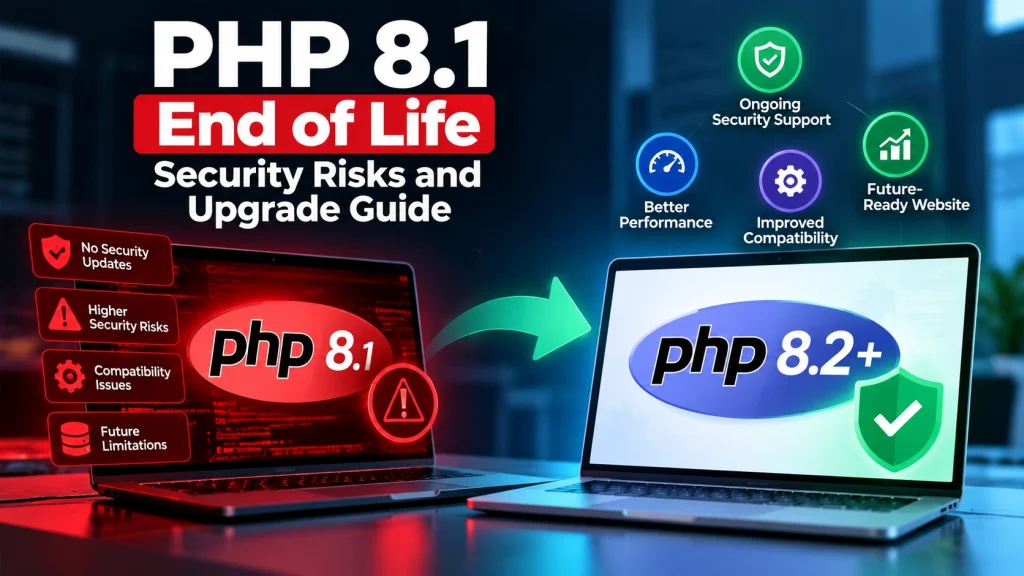
If your website or web application is still running on PHP 8.1, it is time to plan an upgrade.
PHP 8.1 reached end of life on December 31, 2025. This means the PHP project no longer provides official security support for this version.
For business owners, this does not mean your website will suddenly stop working. However, continuing to run an unsupported PHP version can increase security and maintenance risks over time.
The good news is that upgrading can be handled safely with proper testing and planning.
What Does PHP 8.1 End of Life Mean?
When a PHP version reaches end of life, it no longer receives official security updates from the PHP project.
PHP versions receive active support first, followed by security-only support. After the support period ends, the version becomes unsupported and users are encouraged to move to a supported release.
PHP 8.1 was originally released in November 2021 and introduced improvements such as enums, readonly properties, fibers, and better type safety.
Today, businesses using PHP 8.1 should consider upgrading rather than continuing to depend on an outdated runtime.
Why Is Running PHP 8.1 a Security Risk?
The biggest concern is the lack of official security support.
As new security vulnerabilities are discovered, unsupported PHP versions may not receive fixes from the PHP project. This can leave applications with an outdated security foundation.
The risk can be more important for websites that handle:
Customer information
Online payments
User accounts
Contact forms
Business data
APIs and integrations
WordPress or custom applications
PHP is only one part of website security, but keeping the server environment supported is an important security practice.
How to Check Which PHP Version Your Website Uses
Before making changes, find out which PHP version your website is currently running.
For WordPress websites, you can usually check the PHP version through your hosting control panel or WordPress Site Health.
For custom PHP, Laravel, or other applications, your hosting provider or development team can check the server environment.
If your website is running PHP 8.1, don’t panic. The next step is to determine which PHP version your application and its dependencies can safely support.
Should You Upgrade to PHP 8.2, 8.3, 8.4, or 8.5?
The right PHP version depends on your website, framework, plugins, themes, libraries, and hosting environment.
As of October 2026, PHP 8.2, 8.3, 8.4, and 8.5 are supported branches, with different security-support end dates. PHP’s official support table currently lists PHP 8.2 through December 31, 2026, PHP 8.3 through December 31, 2027, PHP 8.4 through December 31, 2028, and PHP 8.5 through December 31, 2029.
This is why simply changing the PHP version in hosting is not always the best approach.
A compatibility check should come first.
How to Upgrade PHP 8.1 Safely
A safe PHP upgrade normally involves several steps.
1. Create a Complete Backup
Back up your website files and database before making changes.
This gives you a recovery point if something goes wrong during testing or deployment.
2. Check Plugins, Themes, and Dependencies
For WordPress, check whether your active plugins and theme support the target PHP version.
For Laravel or custom PHP applications, review Composer packages, framework requirements, extensions, and custom code.
3. Test on a Staging Environment
Whenever possible, test the upgrade on staging instead of making the first change directly on the live website.
Test important features such as:
Login and registration
Forms
Checkout
Payments
APIs
Admin functions
Database operations
Third-party integrations
4. Fix Compatibility Issues
Older code may contain deprecated functions, incompatible packages, or other issues.
Resolve these problems before moving the new PHP version to production.
5. Upgrade the Live Environment
After successful testing, schedule the production upgrade and keep a recent backup available.
6. Monitor the Website
After upgrading, check the website carefully for PHP errors, broken functionality, slow pages, failed integrations, and unexpected behaviour.
What If Your Website Breaks After a PHP Upgrade?
A PHP upgrade can expose compatibility problems that were already present in older code.
If something breaks, the solution is usually not to stay permanently on an unsupported version.
Instead, identify the compatibility issue, update the affected plugin or package, modify outdated code, or replace an incompatible dependency.
For business-critical websites, a controlled staging-to-production process can significantly reduce the chance of unexpected downtime.
How Dev Mechanix Can Help
If your business website is still running PHP 8.1, you don’t need to handle the upgrade blindly.
Dev Mechanix can review your current PHP environment, identify compatibility concerns, check your WordPress plugins or application dependencies, and help plan a safer upgrade.
We can also help with PHP version upgrades, WordPress development, Laravel applications, website security, performance optimisation, and ongoing technical maintenance.
The goal is simple: keep your website secure, stable, compatible, and ready for future updates.
Frequently Asked Questions
Is PHP 8.1 still supported?
No. PHP 8.1 reached end of life on December 31, 2025 and is no longer officially supported by the PHP project.
What happens if I keep using PHP 8.1?
Your website may continue working, but you are running on an unsupported PHP branch that no longer receives official security fixes. This can increase long-term security and compatibility risks.
Is upgrading PHP the same as upgrading WordPress?
No. PHP is the server-side programming language environment, while WordPress is a content management system. They are related but require separate compatibility checks.
Can I upgrade PHP without rebuilding my website?
In many cases, yes. A PHP upgrade does not automatically mean you need a new website. The existing website can often be updated after checking and resolving compatibility issues.
What PHP version should I upgrade to?
It depends on your website and hosting environment. A supported version should be selected based on your application’s compatibility, dependencies, and long-term maintenance requirements.
Should I test the PHP upgrade before changing the live website?
Yes. Testing on a staging environment is strongly recommended for important business websites. It allows compatibility problems to be identified before they affect customers.
Can an old PHP version affect website security?
Yes. An unsupported PHP version can become a security concern because it no longer receives official security fixes from the PHP project.
Can Dev Mechanix help with a PHP upgrade?
Yes. Dev Mechanix can review your website, identify PHP compatibility issues, assist with the upgrade process, and help maintain the website after the migration.
Final Thoughts
PHP 8.1 end of life is a good reason to review your website’s technical environment.
You don’t need to panic or immediately rebuild your website. Start by checking your current PHP version, backing up your website, reviewing compatibility, and testing a supported PHP release.
A planned upgrade can help reduce security risks, improve maintainability, and keep your website ready for future software updates.